
Clarizen Projektmanagement-Software herunterladen – Cloud‑basierte Zusammenarbeit, Zeiterfassung und Roadmap‑Tool
Übersicht – Warum Clarizen in der überfüllten Projektmanagement‑Landschaft hervorsticht
Clarizen Projektmanagement‑Software ist eine cloud‑basierte, unternehmensgerechte Lösung, die Teams dabei unterstützt, Projekte zu planen, auszuführen und zu liefern, mit einem hohen Maß an Sichtbarkeit und Kontrolle. Im Gegensatz zu vielen rein desktop‑basierten Tools lebt Clarizen im Browser, was bedeutet, dass Sie von jedem Gerät aus auf Ihre Arbeit zugreifen können – egal, ob Sie im Büro einen Windows‑Laptop, zu Hause ein MacBook oder unterwegs ein Mobiltelefon nutzen. Die Plattform kombiniert einen robusten Funktionsumfang – Roadmaps, Zeiterfassung, Ressourcen‑management und integrierte Berichte – mit einer Bibliothek fertig‑vor‑bereit‑gestellter Vorlagen, die die Einarbeitungszeit für neue Nutzer reduziert.
Während die Benutzeroberfläche auf den ersten Blick dicht wirken kann, zahlt sich die Funktionsvielfalt schnell aus, sobald Sie sich mit dem Layout vertraut gemacht haben. Integrationspunkte zu Google Docs, iCalendar, Outlook und anderen SaaS‑Produkten erleichtern das Einbringen von Daten in Clarizen oder das Zurückschieben von Updates zu den Tools, denen Ihre Organisation bereits vertraut. Kurz gesagt, Clarizen liefert ein flexibles, sicheres und hochgradig kollaboratives Umfeld, das von kleinen Teams bis zu globalen Unternehmen skaliert.
Für Unternehmen, die eine einzige Wahrheitsquelle für Projektdaten suchen, sorgt Clarizens Cloud‑Architektur dafür, dass jede Änderung in Echtzeit gespeichert wird und Versions‑Kontroll‑Probleme eliminiert. Die Plattform unterstützt zudem erweiterte Governance‑Funktionen wie rollenbasierte Berechtigungen, Prüfprotokolle und Compliance‑Berichte, die für regulierte Branchen unerlässlich sind. Ob Sie nun einen Produktlaunch, eine IT‑Einführung oder eine Marketing‑Kampagne managen, Clarizen gibt Ihnen die Roadmap‑Ansicht, um Meilensteine, Abhängigkeiten und Fortschritt auf einen Blick zu sehen, während Sie gleichzeitig eine feinkörnige Kontrolle über Aufgaben, Budgets und Zeitpläne behalten. Diese Kombination aus Makro‑Sichtbarkeit und Mikro‑Detailtiefe macht Clarizen zu einer überzeugenden Wahl für Organisationen, die sowohl strategische Aufsicht als auch operative Präzision verlangen.
Kernfunktionen & Vorteile
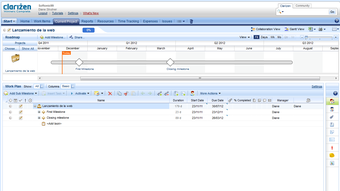
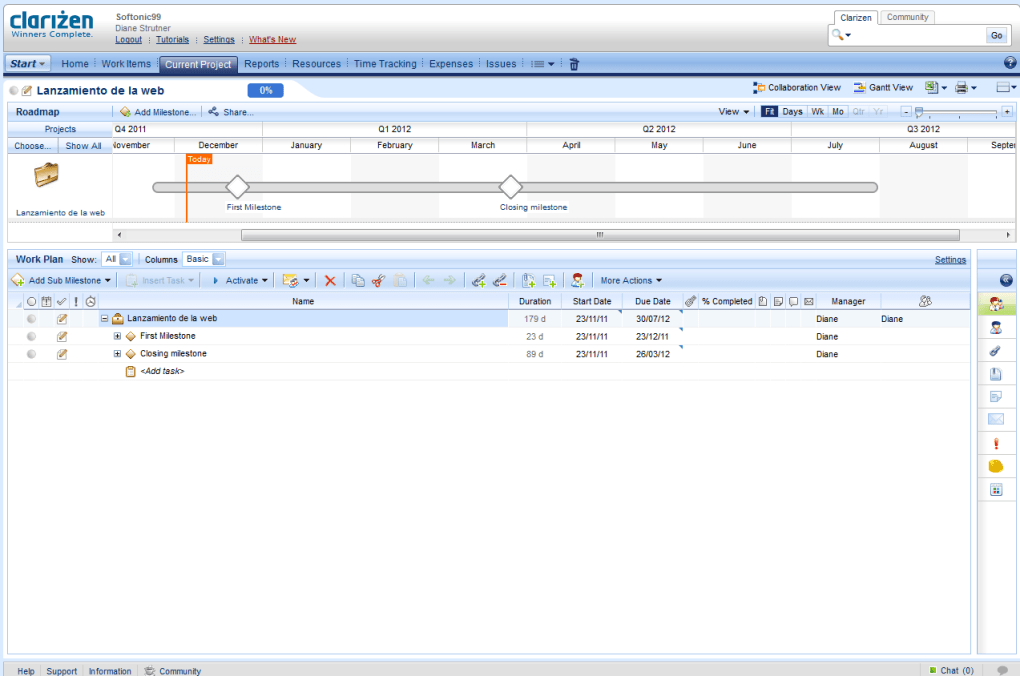
- Dynamic Roadmaps – Drag‑and‑drop‑Zeitlinienansichten, die Meilenstein‑Fortschritt, kritischen Pfad und Ressourcen‑Zuweisung zeigen.
- Template Library – Vorgefertigte Projektvorlagen für IT, Marketing, Professional Services und mehr, die die Einrichtungszeit um bis zu 50 % reduzieren.
- Time & Expense Tracking – Integrierte Zeiterfassungs‑ und Spesen‑Logs, die direkt in Budget‑ und Rechnungs‑Module fließen.
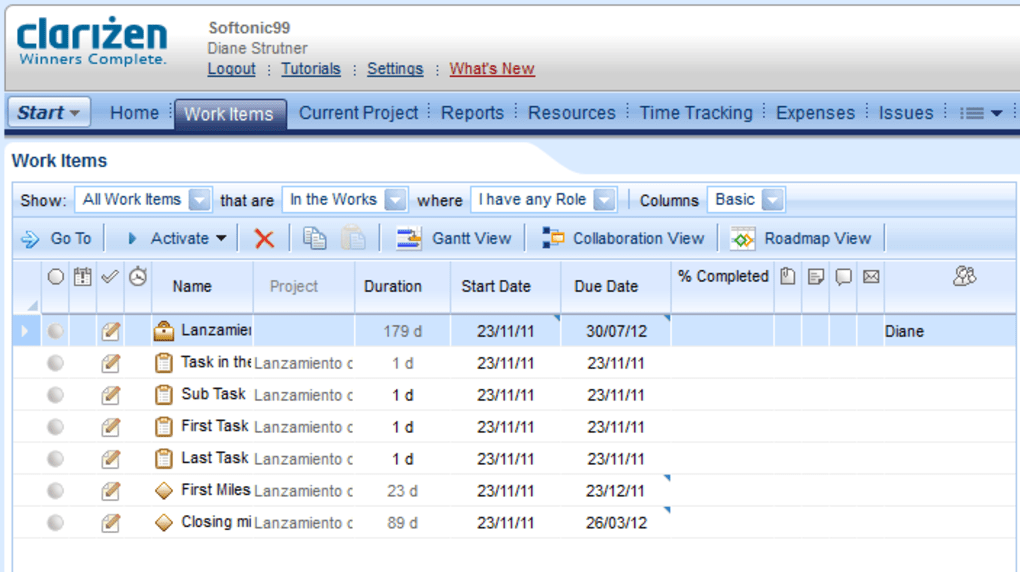
- Collaboration Hub – Echtzeit‑Kommentare, Dateianhänge und Diskussions‑Threads, die mit Aufgaben und Meilensteinen verknüpft sind.
- Robust Reporting Engine – Benutzerdefinierte Dashboards, geplante PDF/Excel‑Exporte und KPI‑Widgets für die Sichtbarkeit auf Führungsebene.
- Third‑Party Integrations – Native Anschlüsse für Google Docs, Microsoft Outlook, iCalendar, Salesforce und Jira.
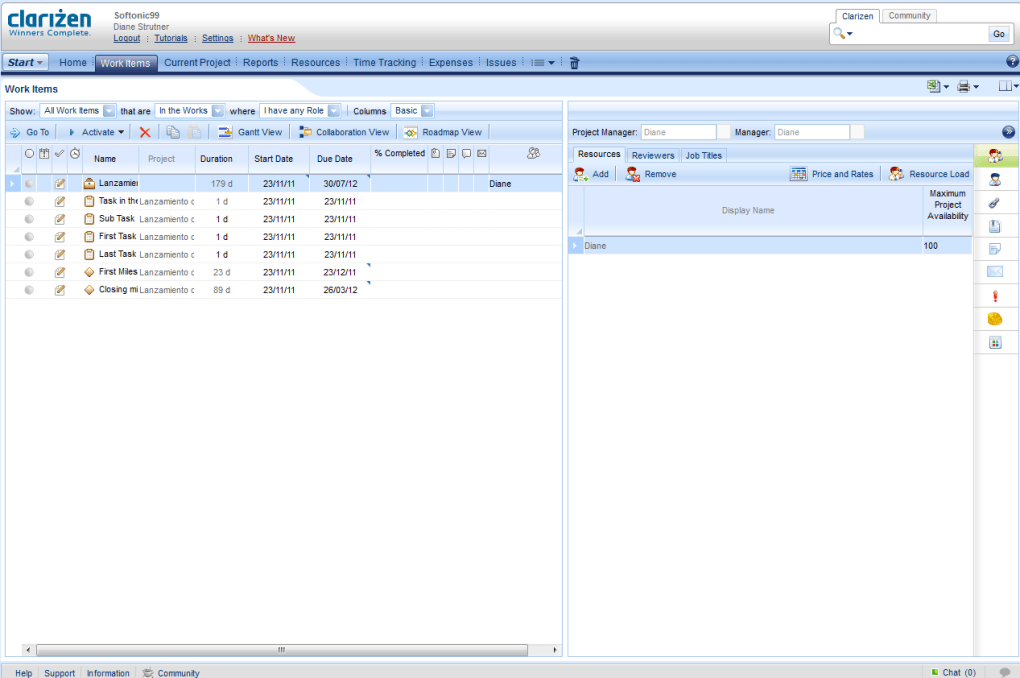
- Resource Management – Visuelle Kapazitätsplanung, kompetenzbasierte Zuweisung und Konflikt‑Lösungs‑Tools.
- Security & Compliance – Rollenbasierter Zugriff, SSO, ISO‑27001‑Zertifizierung und DSGVO‑konforme Datenverarbeitung.
Vorteile
- Hochgradig anpassbare Dashboards geben Stakeholdern exakt die Daten, die sie benötigen.
- Cloud‑first‑Architektur sorgt für nahtlose Updates und minimalen IT‑Aufwand.
- Tiefes Integrations‑Ökosystem reduziert Datensilos im gesamten Unternehmen.
- Skalierbares Lizenzmodell funktioniert sowohl für mittelgroße Firmen als auch für große Konzerne.
- Starke Governance‑Funktionen unterstützen regulierte Branchen.
Nachteile
- Die anfängliche Lernkurve kann für Nutzer, die neu bei Enterprise‑PM‑Tools sind, steil sein.
- Die Preisgestaltung liegt im oberen Marktsegment.
- Erweiterte Funktionen können zusätzliche Konfiguration oder Beratung erfordern.
- Die mobile App ist zwar funktional, fehlt jedoch einige der voll‑bildschirm‑Reporting‑Funktionen der Desktop‑Version.
Clarizen delivers a comprehensive suite of project management tools that cater to both strategic planning and day‑to‑day execution. Its biggest strengths lie in the dynamic roadmaps and deep integration options, which together create a unified workspace for cross‑functional teams. While the platform’s pricing and learning curve may deter smaller businesses, the ROI for organizations that fully adopt its capabilities is significant.
Installation, Nutzung & Kompatibilität
Because Clarizen is a cloud‑native SaaS, there is no traditional “installation” process on the client side. Getting started is as simple as creating an account, verifying your email, and logging into the web portal at clarizen.com. The onboarding wizard will prompt you to select a template or start from scratch, and you can immediately invite team members via email. For organizations that prefer single sign‑on (SSO), Clarizen supports SAML 2.0, Okta, Azure AD, and other identity providers, allowing you to manage user access centrally.
Step‑by‑Step Quick Start
- Sign Up – Choose the trial or paid plan that matches your headcount.
- Configure Domain – If using SSO, link your identity provider under “Settings → Security”.
- Select a Template – Pick a pre‑built project type (e.g., “Software Development” or “Marketing Campaign”).
- Add Resources – Upload a CSV of users, assign roles, and set capacity limits.
- Build Your Roadmap – Drag milestones onto the timeline, define dependencies, and set target dates.
- Invite Stakeholders – Send invitation links; they’ll receive a secure login page.
- Start Tracking – Log time, attach files, and use the discussion thread to keep communication in one place.
Supported Operating Systems
Clarizen runs on any modern browser, which means it is fully compatible with Windows 10/11, macOS Monterey and later, Linux distributions (via Chrome/Firefox), as well as mobile platforms such as Android 8+ and iOS 13+. The responsive design ensures that the same feature set is available whether you are on a desktop, tablet, or smartphone.
Best Practices for Ongoing Use
To keep your projects running smoothly, schedule a weekly “roadmap review” where project managers validate milestone dates and re‑allocate resources as needed. Take advantage of the automated email notifications for overdue tasks and upcoming deadlines—these can be customized in the “Notification Settings” area. For larger teams, consider creating “Project Portfolios” to group related initiatives and generate executive‑level dashboards. Finally, enable the API key in the “Integrations” tab if you need to push data to external BI tools or custom reporting platforms.
Häufig gestellte Fragen
Ist Clarizen für kleine Teams kostenlos nutzbar?
Clarizen offers a 30‑day free trial for all plans, but there is no permanent free tier. After the trial, pricing starts based on the number of users and required feature set, making it more suitable for medium to large teams that need enterprise‑grade capabilities.
Kann ich bestehende Projekte aus Excel oder Microsoft Project importieren?
Yes. Clarizen includes a CSV import wizard that maps columns to tasks, resources, and dates. There is also a dedicated connector for Microsoft Project that preserves task hierarchies and dependencies during migration.
Wie sicher sind meine Daten in Clarizens Cloud?
Data is encrypted both in transit (TLS 1.2) and at rest (AES‑256). Clarizen complies with ISO 27001, SOC 2 Type II, and GDPR standards, and offers role‑based access controls, SSO, and detailed audit logs to meet strict security requirements.
Integriert sich Clarizen in mein bestehendes CRM‑System?
Clarizen provides native connectors for Salesforce, Microsoft Dynamics, and HubSpot. If a direct integration is not available, the open API allows developers to build custom sync processes.
Welche Art von Support bietet Clarizen?
Customers receive 24/7 email support, a dedicated account manager for enterprise contracts, and access to an online knowledge base, video tutorials, and community forums. Premium plans also include phone support and a guaranteed response time within two hours.
Fazit – Ist Clarizen die richtige Wahl für Ihr Team?
Clarizen Project Management Software delivers a powerful blend of strategic roadmapping, granular task control, and seamless integration that few competitors can match. Its cloud‑first design means you can collaborate from anywhere, while the extensive security and compliance features give peace of mind to regulated industries. If your organization values deep customization, enterprise‑grade reporting, and a single source of truth for project data, Clarizen is a solid investment. The main trade‑offs are the higher price point and a learning curve that may require initial training or consulting. For teams ready to scale their project management maturity, the benefits far outweigh these considerations.
Ready to experience the clarity of Clarizen? Click the button below to start your free trial, explore the templates, and see how the platform can transform your project workflows.



.png)



